
FAQ - Frequently Asked Questions
Ad: Travel Itinerary: How To Modify Advertising Periods
Instructions for Modifying Advertising Periods
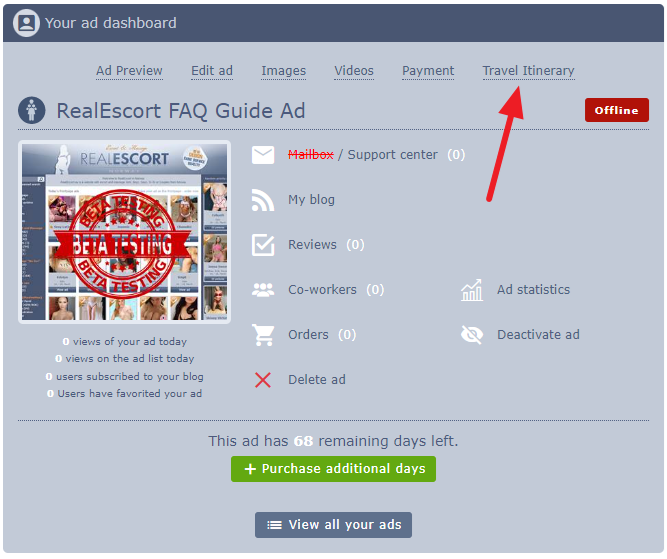
In your ad dashboard, select "Travel Itinerary".
In the travel itinerary editor, click "Modify Advertisement Days".
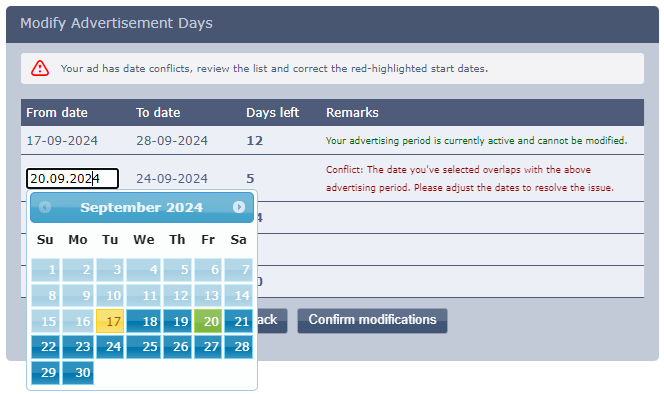
Please Note: Active advertising periods cannot be modified or changed.
Choose a date to adjust the advertising period.
If conflicts arise, they will appear in Red. Resolve them one by one, starting from the top, to avoid overlaps.
We hope these instructions are clear and helpful.
Best regards,
RealEscort
In your ad dashboard, select "Travel Itinerary".
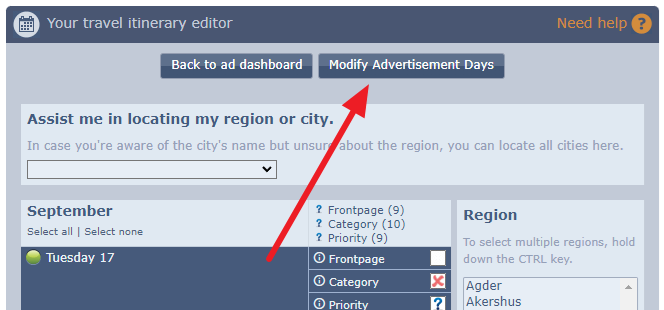
In the travel itinerary editor, click "Modify Advertisement Days".
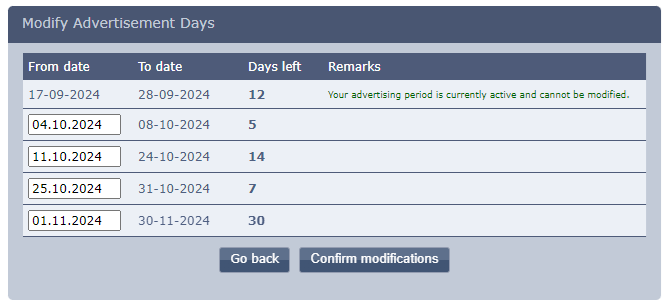
Please Note: Active advertising periods cannot be modified or changed.
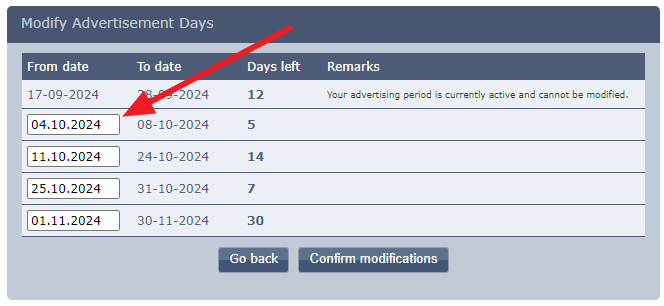
Choose a date to adjust the advertising period.
If conflicts arise, they will appear in Red. Resolve them one by one, starting from the top, to avoid overlaps.
We hope these instructions are clear and helpful.
Best regards,
RealEscort